Page Navigation
How to Add, Update and Delete HCP Patient Education Support
The HCP Patient Education module allows administrators to create and manage educational content intended for patients and medical professionals. This includes adding structured educational material, references, SEO metadata, visibility controls, and supporting media files to ensure accurate, reliable, and accessible patient education resources.
Overview
This guide explains how to:
- Add new HCP patient education content
- Enter detailed educational material and references
- Configure SEO metadata and schema
- Control content visibility for medical experts or public users
- Upload images and PDF documents
- Edit existing patient education entries
- Delete single or multiple patient education records
Add New Patient Education Content
Step 1: Open Manage Patient Education

To begin managing patient education content, click Health Practitioner, then select Manage Patient Education.
Step 2: Create New Entry
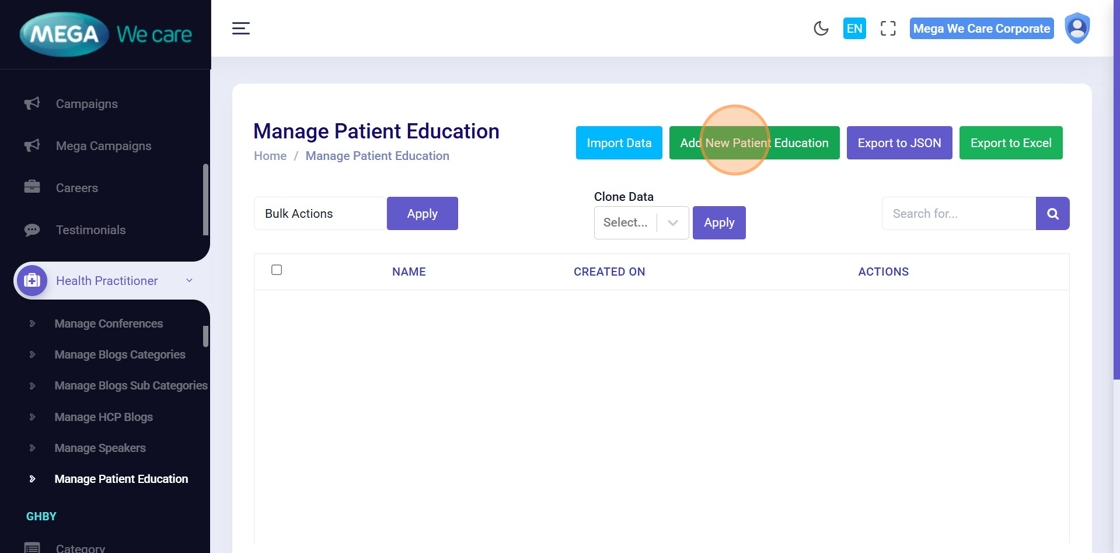
Click Add New Patient Education to open the content creation form.
Step 3: Enter Title
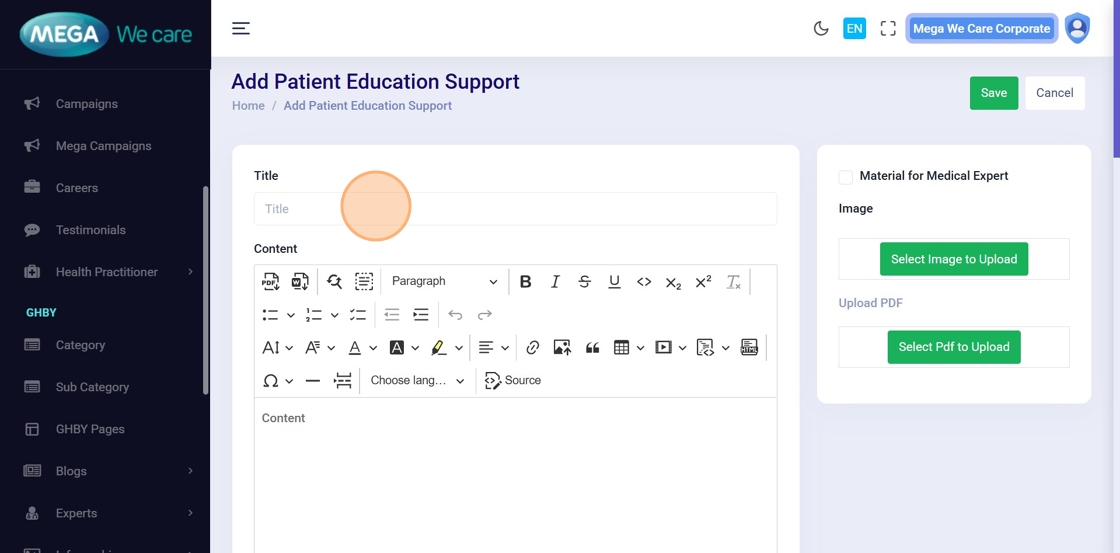
Enter the title of the patient education content in the Title field.
Step 4: Add Educational Content
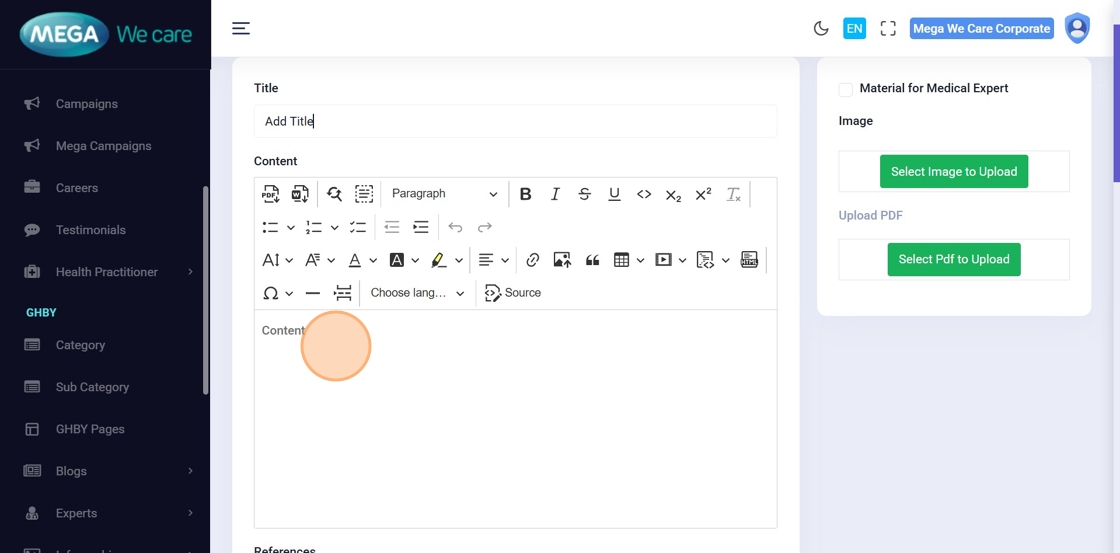
In the Content editor, enter the detailed patient education information.
Use clear headings, paragraphs, and formatting to improve readability.
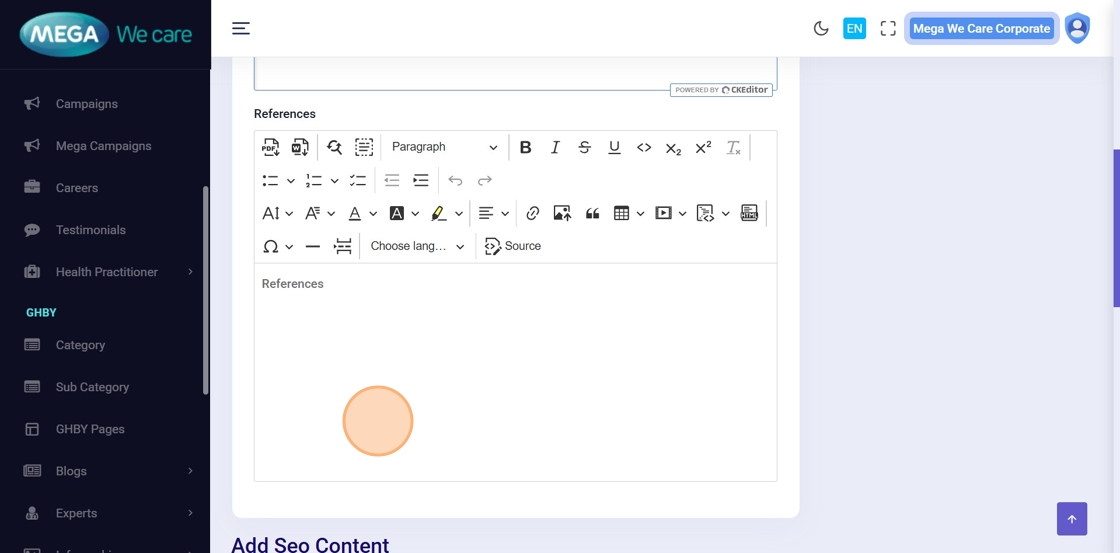
Step 5: Add References
Click Add References and enter references as a numbered list (1, 2, 3, and so on).
Ensure references are accurate and properly cited.
SEO & Visibility Settings

Step 6: Configure SEO Details
Enter all required SEO information, including:
- Meta Title
- Meta Keywords
- Meta Description
- Schema Script
- Image Alt Tag
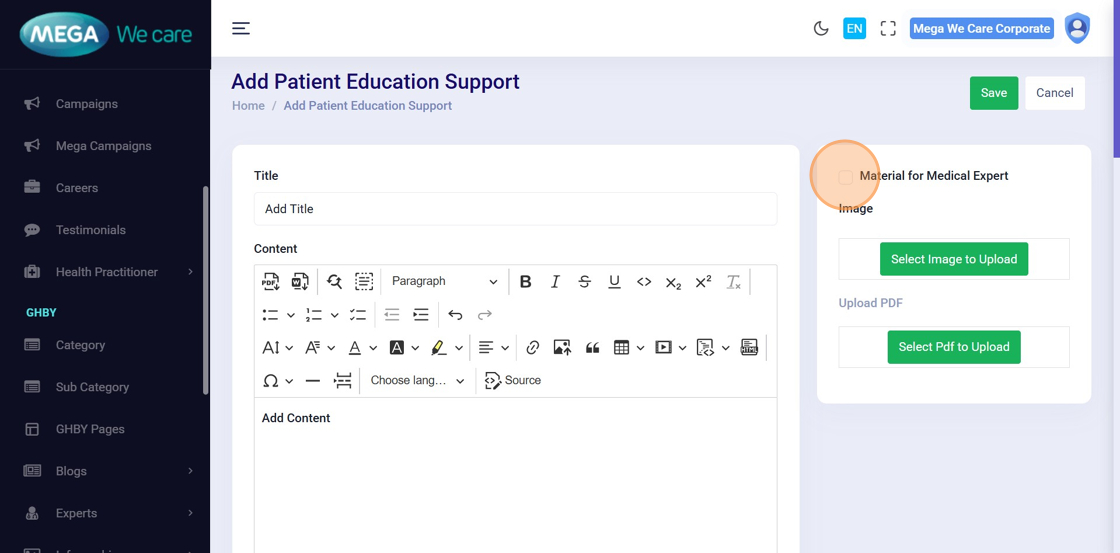
Step 7: Set Visibility for Medical Experts
Enable Material for Medical Expert if the content should be visible only to signed-in medical professionals.
Leave it unchecked if the content should be publicly accessible.
Upload Supporting Media

Step 8: Upload Images and PDFs
Upload supporting media as required:
- Images: Select an existing image from Select Files or upload a new image using Upload File
- PDFs: Select an existing PDF or upload a new file from your device
After adding all required files, click Save to create the content.
Edit or Delete Patient Education Content
Step 9: Edit Content
After successful creation, click Edit to update or modify patient education details.
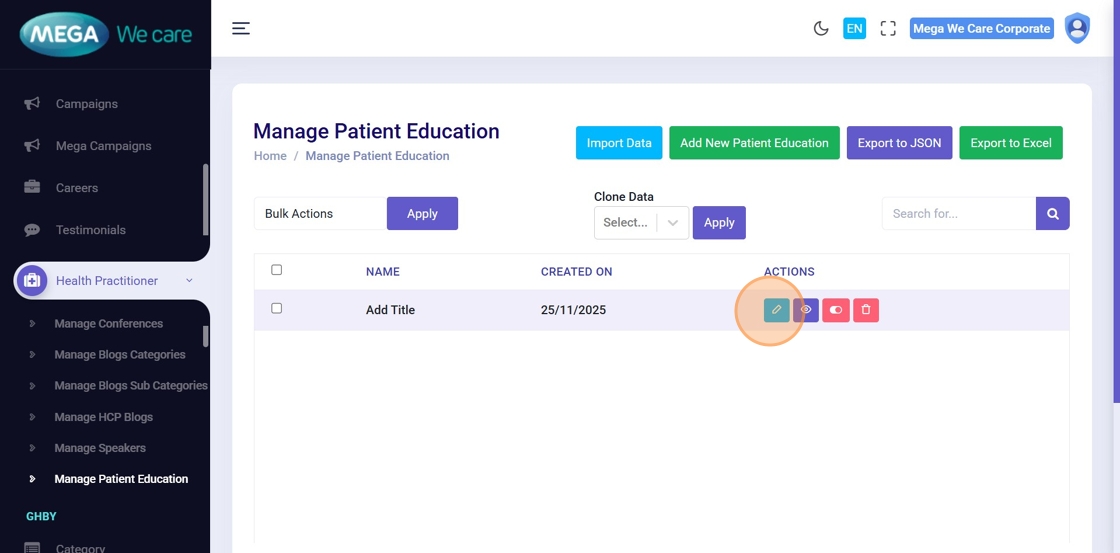
Step 10: Update Content Details
On the Edit Patient Education page, update any required fields (such as title, slug, content, or image details), then click Save to apply the changes.

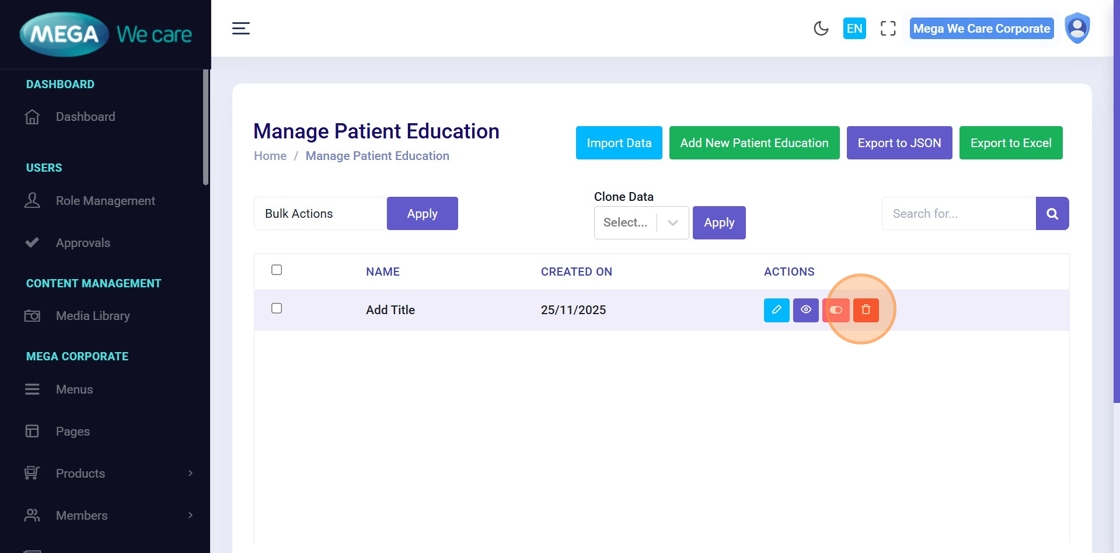
Step 11: Delete Patient Education Content
To remove patient education content, click the Delete icon.
You can delete entries individually or in bulk using the available selection options.
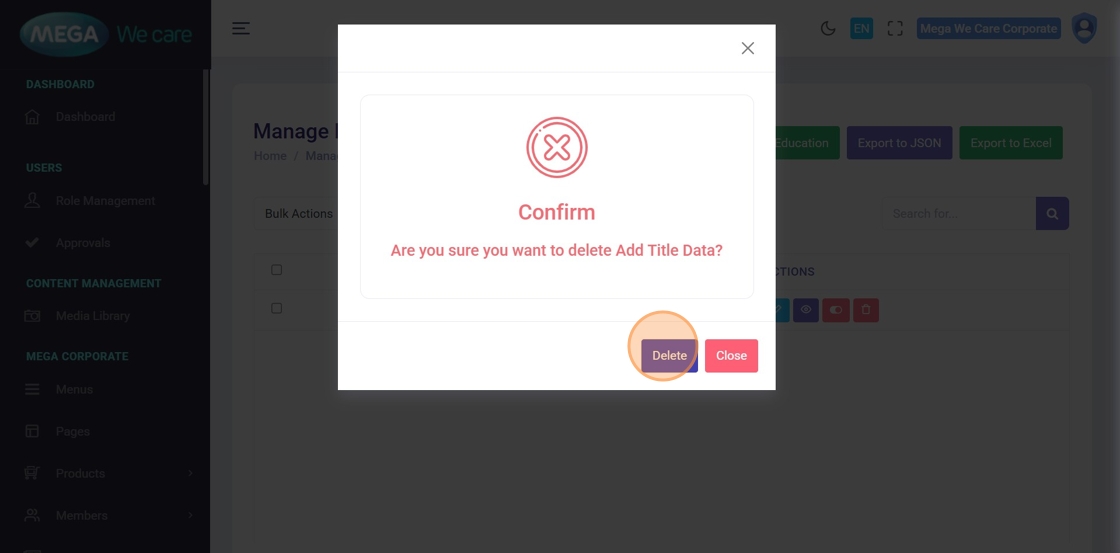
Step 12: Confirm Deletion
In the confirmation popup, click Delete to permanently remove the patient education content.
Deleted content cannot be restored.
Important Notes
- Upload images in WEBP format, ensure the image size is not too large, and do not use PNG, JPG, or JPEG files. If the image is in any of these formats, convert it to WEBP before uploading.
Summary
By using the HCP Patient Education module, administrators can create and manage structured patient education content, add references and resources, control visibility, upload images and PDFs, optimize SEO, and update or remove outdated content. This helps ensure high-quality, compliant, and well-organized patient education content across the platform.